
Building your PC can be an exciting and rewarding experience, but it can also seem overwhelming for beginners. With the right approach and guidance, you can create a custom-built machine that meets your needs and budget. Here are some essential tips for beginners to get started:
- Define Your Purpose and Budget
- Purpose: Determine what you’ll use the PC for, whether it’s gaming, video editing, or essential office work. Your use case will dictate the components you need.
- Budget: Set a realistic budget and stick to it. Research component prices to avoid overspending.
- Research and Choose Components
A PC consists of several key parts. Make sure they are compatible with each other:
- Processor (CPU): The brain of your computer. Choose AMD or Intel-based on your performance needs.
- Motherboard: Ensure it matches the CPU socket type and supports your components.
- Graphics Card (GPU): Essential for gaming or graphic-intensive tasks.
- RAM (Memory): Start with at least 16GB for general use; more for demanding tasks.
- Storage: SSDs are used for speed, and HDDs are used for bulk storage.
- Power Supply Unit (PSU): Ensure it provides enough wattage for your components.
- Case: Choose one that fits your components and has good airflow.
- Cooling System: Stock coolers are sufficient for most beginners; consider aftermarket options for better cooling.
- Gather Tools and Prepare Your Workspace
- Tools: A Phillips-head screwdriver is the primary tool you’ll need.
- Workspace: Set up a clean, well-lit area with enough space to lay out components.
- Anti-Static Precautions: Use an anti-static wrist strap or work on a non-static surface to avoid damaging components.
- Follow a Step-by-Step Assembly Process
- Install the CPU: Attach the CPU to the motherboard carefully, aligning the markings.
- Add RAM: Insert RAM sticks into the appropriate slots.
- Mount the Motherboard: Secure the motherboard in the case using standoffs.
- Install Storage: Attach SSDs or HDDs using screws and connect them to the motherboard.
- Place the PSU: Secure the power supply in the case and manage the cables.
- Add the GPU: Insert the graphics card into the PCIe slot and secure it.
- Connect Cables: Plug in all necessary power and data cables.
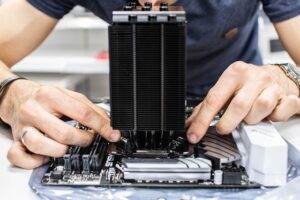
- Install Cooling: Attach the CPU cooler or liquid cooling system.
- Test Before Final Assembly
- Power on the PC outside the case (called a bench test) to ensure all components work before fully assembling.
- Install the Operating System
- Use a USB drive to install an operating system like Windows or Linux. Follow on-screen instructions to set it up.
- Keep Software and Drivers Updated
- Download the latest drivers for your hardware to ensure optimal performance.
- Learn Cable Management
- Organize cables neatly to improve airflow and aesthetics inside your PC case.
- Seek Help When Needed
- Watch tutorials or join online forums like Reddit’s r/build a PC for advice and support from experienced builders.
- Have Patience
Building a PC can take time, especially for beginners. Be patient, double-check your work, and enjoy the process.
About The Author